Switching between your company business profile and personal profile
Learn how to switch between your business profile and your personal profile to take advantage of Lyft Business features you've been given access to. Both receipt forwarding and direct billing features require you to request a ride using your business profile.
In this article, we'll cover:
How to switch between your business profile and personal profile to request a ride
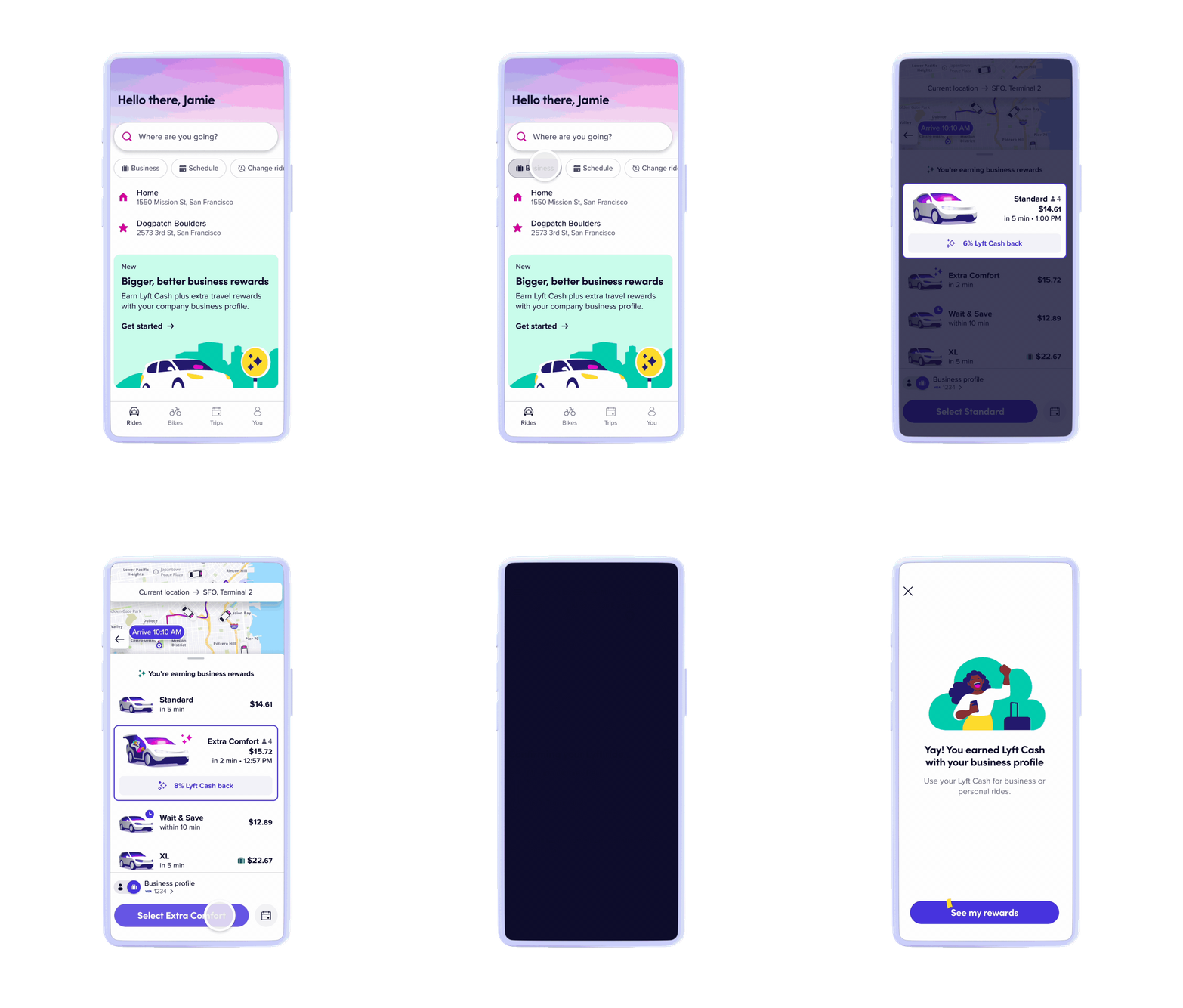
A user can quickly switch to their business profile from the 'Home' screen of the rider app to take rides and start earning rewards.
- Open the Lyft mobile app
- Select ‘Business’ on the Home screen
- If you have both a self-managed business profile and a company business profile, you will be prompted to choose the desired business profile for your ride
- Enter your destination and proceed with your ride request
- A prompt will appear above the ride options, stating the percentage of Lyft Credits back rewards along with travel partner rewards (if any)