Creating a business profile linked to your organization
Learn how to create a company business profile linked to your organization. If you need to create an individual business profile, you can here.
In this article, we'll cover:
What is a business profile linked to my organization?
Company business profiles live within your personal Lyft account and are created through your organization's business travel program. They offer several benefits:
- Easy separation of personal rides from work-related rides
- Automatic receipt forwarding to your expense management system (if your organization has this set up)
- Rides charged to your organization (if your organization has this set up)
- Lyft Business Rewards
How to set up a business profile linked to my organization
Your organization will send you an invitation to join their business travel program. Follow these steps to successfully set up your business profile:
Step 1: Receive and accept your invitation
- Check your work email or your Lyft app for an invitation from your organization
Don't receive your invitation? If you didn't receive an invite but expected one, try:
- Checking with another work email address
- Contacting your company's travel manager for help
- Looking for pending invitations in the Lyft app (You → View Profile → Business profiles)
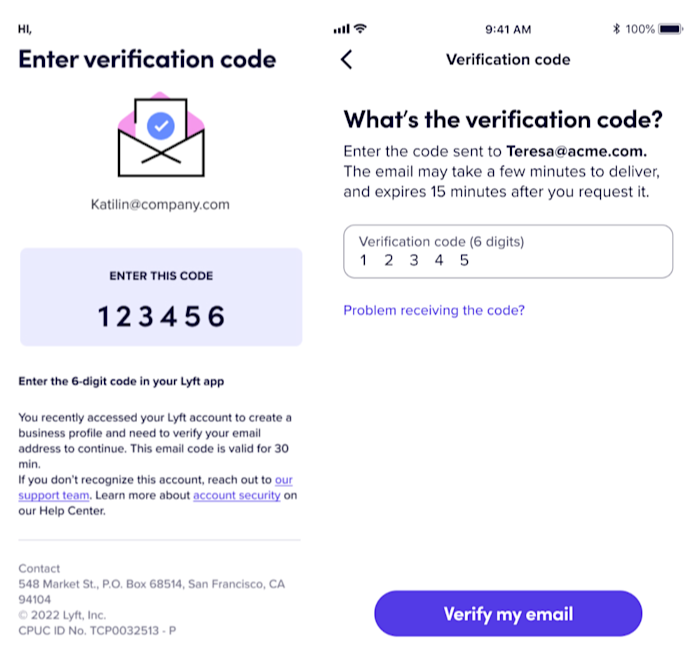
Step 2: Verify your account by entering the code sent to your work email
Step 3: Complete your business profile setup
- Select your organization from available invitations
- Set up payment method: Choose your default payment method for business rides (personal card, corporate card, or direct billing if available)
- Configure expense forwarding: Select your expense provider if your organization has integrations set up
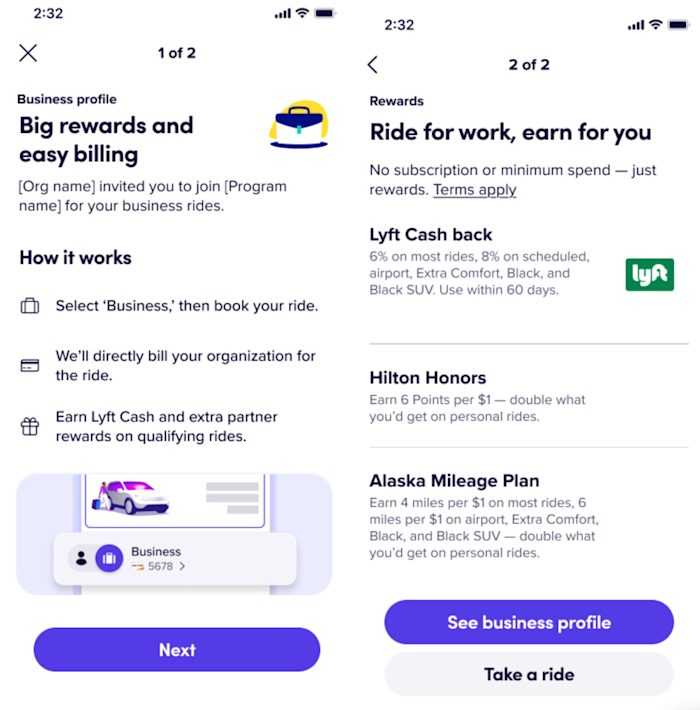
- Review program benefits: Learn about your Lyft Business Rewards and how to earn them
Step 4: Start taking business rides
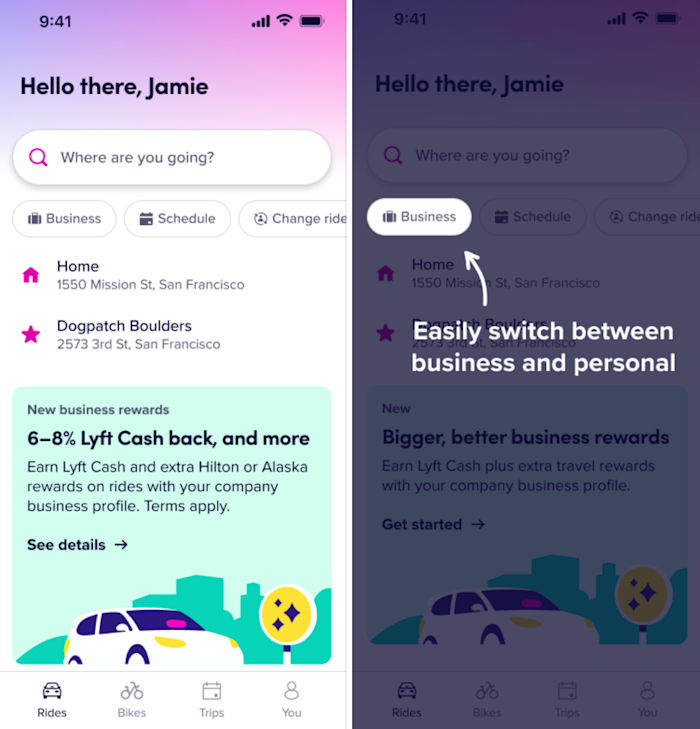
- Before requesting a ride, toggle to your company business profile using the profile selector on the home-page
- Your business rides will automatically be tracked and receipts will be forwarded if set up by your company administrator